Connecting to DirecTV Receivers
How to enable Display Hub control of your DirecTV boxes
How to enable Display Hub control of your DirecTV boxes
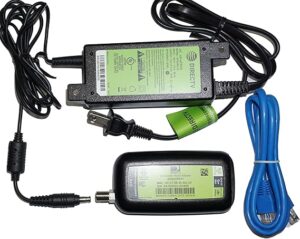
DirecTV systems have a built-in network running over the coaxial cables connecting all your receivers. By installing a single DECA (DirecTV Ethernet to Coax Adapter) at the point where your DirecTV wiring originates, you gain network access to every receiver in the system.
DECA adapters are inexpensive (~$20), require no configuration, and work with all DirecTV receivers. Once connected to your network, Display Hub’s Scan for DirecTV button will automatically discover all receivers—just select which one to control for each encoder.
The distribution point is where the coax from the satellite dish splits out to all your receivers. This is where you’ll install the DECA.
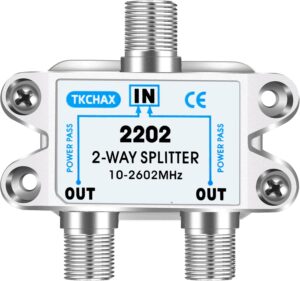
A splitter where one coax comes in and multiple cables go out. May also include a SWM (powered box) or power inserter.
From Dish
    │
    ▼
┌────────┐
│Splitter│ ◄── Install DECA here
└─┬─┬─┬──┘
  │ │ │
  ▼ ▼ ▼
 To receivers
Done. The DECA is now bridged to every DirecTV receiver.
From Satellite/SWM
        │
        ▼
┌───────────────┐
│  New 2-Way    │
│   Splitter    │
└───┬───────┬───┘
    │       │
    │       ▼
    │   ┌────────┐
    │   │  DECA  │───► To Network
    │   └────────┘
    ▼
┌───────────────┐
│ Distribution  │
│   Splitter    │
└─┬──┬──┬──┬──┬─┘
  ▼  ▼  ▼  ▼  ▼
 To all receivers