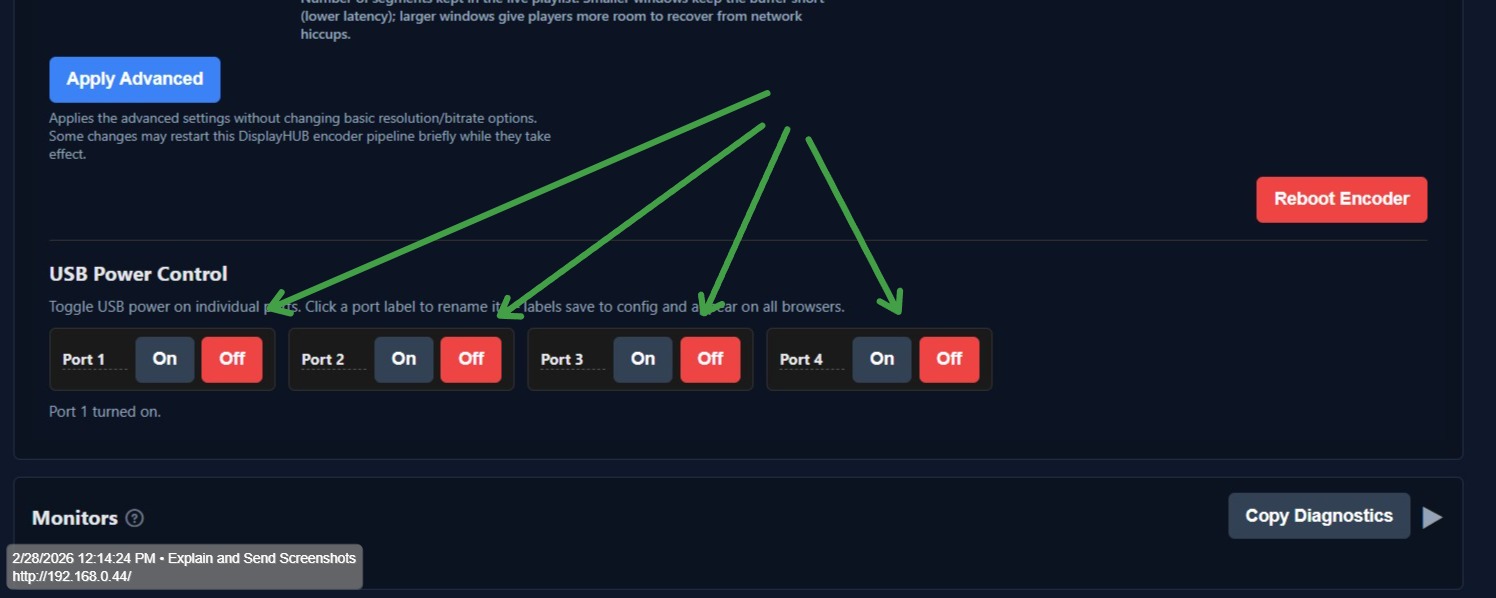
Some inputs will need an HDMI splitter, and sometimes those splitters have to be power cycled to get a new sync, and because we try to make it so that the encoders can be placed at the device where it might be currently located, getting physical access to the splitter might be difficult. We have created a way to remotely power cycle the USB ports on the Raspberry Pi. Yes, you can usually power the HDMI splitter from the Pi itself. By power cycling the USB port you can reset the devices that are powered by the Pi; thus, a new sync is established.
The way that usually works is to go in reverse order, power off 4, 3, 2, 1 and then power them back on in the same order.
This method, generally speaking, will work, but there are, of course, edge cases where this will not work, and you might even have to reconnect the HDMI cables to get a solid sync.
To access the USB power options, open your encoder connected to the device, then go to advanced settings, scroll to the bottom: