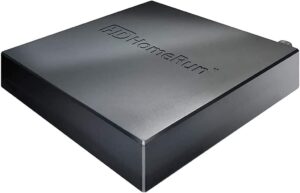
Adding HDHomeRun OTA Tuners
How to enable antenna broadcast over-the-air TV in DisplayHUB
How to enable antenna broadcast over-the-air TV in DisplayHUB
HDHomeRun tuners let you pull in free over-the-air (OTA) channels from an antenna and stream them over your network. When you pair an HDHomeRun with DisplayHUB, you can treat antenna channels just like any other source: route them to any display, mix them with DirecTV inputs, and have a reliable backup when satellite or internet-based content has issues.
Once the tuner is on the same network as your DisplayHUB encoder, the encoder can claim a specific tuner, lock it to a channel, and publish that antenna feed as a normal DisplayHUB source. No extra HDMI cables, no additional set-top boxes at every TV.
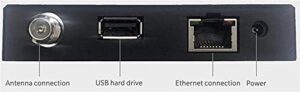
Connecting an HDHomeRun is simple: give it an antenna feed and a wired Ethernet connection to the same network as your DisplayHUB encoders. Once it powers up, it will advertise itself on the LAN and DisplayHUB can discover it automatically.
An HDHomeRun tuner box connected to:
Once it is powered on and connected to Ethernet, the tuner will show up on the network and can be scanned from inside DisplayHUB.
After this, the antenna feed becomes just another DisplayHUB source that you can route to any display alongside your DirecTV and IP-based inputs.
2-tuner ATSC 1.0 model – great for smaller venues or backup OTA feeds.
~$110
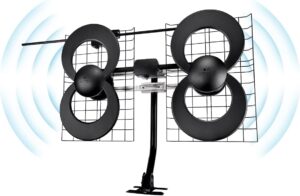
Total typical setup (tuner + antenna): ~$150–280 depending on model and antenna.
my.hdhomerun.com from a browser on that network.