Free to install, simple to test, and powered by off-the-shelf Raspberry Pi hardware.
The first and only true TV matrix over WiFi (or wired network) on smart TVs.
DisplayHUB is now wireless and built for Roku devices, with AndroidTV support coming soon. It is the first and only system that gives you a real HDMI and video matrix over WiFi using smart TVs instead of set top boxes.
The software is free and runs on standard Raspberry Pis for the controller and encoders. All hardware is off the shelf, easy to return or repurpose if it does not fit your venue.
- Multi-screen routing and control
- Much cheaper to deploy compared to HDMI matrices
- Much easier to install and expand
Sync is not perfect yet, but it is close. Most screens stay aligned, and improvements are shipped frequently. Updates are as easy as clicking Upgrade in the dashboard.
Glass-to-glass latency is typically 1 to 5 seconds, depending on your network, with sub-segment alignment between devices in most cases. Many installs experience under 1 second latency with strong WiFi or wired backhaul.
DisplayHUB can run on off-the-shelf residential or commercial networks. Offering an easy-to-control, complete audio/video matrix over just about any type of network, small to large, short to long, if it gets data off your network, we can broadcast on it. Unlike other Video over Ethernet systems, we are sending regular data that does not need special encoders, decoders, routers, or any special conditions for small systems. Larger systems (20+ devices) might need some upgrades, but will still not be nearly as specialized as other systems.
Getting started is easy, and we won’t even ask you to sign up until you are ready to remove our watermark. Zero risk to try it for yourself or let us consult about your specific needs, even if that means you go with another system, but we doubt you will.
DisplayHUB Feature Highlights:
-
Full overlay system
Add text, images, logos, animated browser overlays, audio overlays, alerts, promotions, daily specials, ads, and live updates directly into the video feed. -
Multi-device control built in
On-screen remotes for DirecTV receivers, Roku TVs, and other supported devices with power, volume, input, and transport controls. -
Flexible input support
Accepts HDMI sources, video URLs/streams, and local video files at the encoder, which can also be ran over WiFi and even run a battery brick if you have need where you want to be mobile. -
Runs on low-cost Raspberry Pis
Off-the-shelf hardware, easy to replace, easy to scale, no proprietary boxes required. -
Wireless or wired matrix switching
First and only system that builds a true TV matrix over WiFi using smart TVs (Roku today, AndroidTV soon). Ethernet Cat6E will provide more bandwidth and potentially a better picture, but is not required. -
Easy installation
One-line install commands for encoders and controllers. Install the Roku app from the Channel Store, and you are done. -
Easy configuration
Clean, phone-friendly web dashboard for routing, grouping, renaming, monitoring devices, and pushing presets. -
Free to use
All features included. The only difference is the watermark or ads on free displays. Upgrade removes them instantly. -
Program guide support (EPG)
Automatic EPG discovery for DirecTV, HDHomeRun antenna feeds, and IP channels. Some cable boxes are also supported, please contatct us for details. -
Local first design
Everything runs on your internal network. No cloud dependency for daily operation. We recommend a constant internet connection but it’s not required; loss of internet will not bring the system down. -
Mobile friendly
Full dashboard works on any modern browser, including iOS, Android, tablets, laptops, desktops and some POS systems. -
Consulting, installation, and preconfigured hardware available
Choose DIY or let the DisplayHUB team configure everything. Consultations are free even you don’t use our system(s).
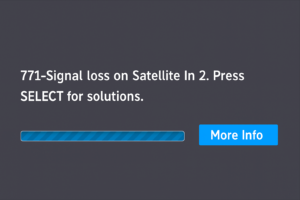
Has this ever happened to you? Add an HDHomeRun antenna tuner for over-the-air, free to use sports programming that is not affected by rain fade or internet outages.
With a simple $120 dual tuner HDHomeRun that is completely controlled by DisplayHUB, you can now be the place that’s known for a backup when satellite, cable or internet goes down.
What DisplayHUB is perfect for:
Sports bars & restaurants
- Instantly route any game to any TV
- Quickly swap sources during big events
- Keep all TVs nearly in sync for a unified atmosphere
- Add drink specials or promos as overlays
- No messy HDMI rewiring when moving or adding TVs
Breweries & taprooms
- Show multiple games at once
- Promote rotating taps and events with image/text overlays
- Use cheap Roku TVs instead of expensive AV hardware
Hotel bars & lounges
- Centralize DirecTV, cable, and OTA antennas into one matrix
- Manage TVs across multiple rooms from one dashboard
- Quiet areas can show ambient video loops or music feeds
Gyms & fitness centers
- Multiple channels across cardio machines
- Insert schedules, promotions, or announcements as overlays
- Swap between live TV and branded content easily
Conference centers & event venues
- Push presentations, event signage, sponsor ads, or livestreams
- Send content to any projector or TV instantly
- Control everything from a phone or tablet
Churches & houses of worship
- Show services in overflow rooms
- Send the same feed to lobbies, nurseries, and classrooms
- Use overlays for lyrics, announcements, and event reminders
Schools & auditoriums
- Broadcast morning announcements
- Display promotional or safety messaging
- Send live feeds from assemblies or events
Office buildings / Doctors’ Offices / Hospitals
- Digital signage, visitor info, and dashboards
- Send meeting content to conference rooms
- Easy way to manage many TVs without rewiring
Retail stores
- Showcase promotions, launch events, or playlists
- Update content instantly from the cloud
- Sync messaging across multiple departments
Factory floor
- Show production stats
- Business announcements
- Employee of the month
Why this wireless video matrix is different:
Mostly in sync
Rokus start nearly together. Tight segment matching across rooms and access points with improvements rolling out regularly.
Simple control
One dashboard for routing, grouping, presets, and monitoring. Phone friendly for quick on site changes.
Local first
Everything runs on your LAN. Daily use does not depend on the cloud or external servers.
Why it is cheaper and easier than HDMI matrices:
Why it is cheaper
- Roku devices act as decoders
- No rack mounted HDMI matrix required
- Cheap Raspberry Pi encoder hardware
- Self install friendly
Lower hardware cost. Lower installation cost. Lower maintenance.
Why it is easier to install
- No HDMI pull backs, everything is network based
- Roku devices autodiscover automatically
- Built in logs and health checks
- Phone friendly UI
Same day rollout. Minimal wiring. Easy expansion.
What the system is made of:
Encoders: Raspberry Pi
- One encoder per input
- One line install
- HDMI capture input
- Short segments for fast tuning
- On device stats
Controller: Raspberry Pi
- One per location
- Browser based UI
- Matrix routing and presets
- Per screen stats and drift
- Autodiscovery for Roku
Players: Roku devices
- Roku TVs, sticks, and streambars
- Auto reconnect and health pings
- Fast tune in
- Per device control
All features included
There is no Pro tier. All features are included in the software. The only difference is that free displays may show a small watermark or periodic advertising. Upgrading removes watermarks and ads, and upgrades are as easy as clicking Upgrade in the dashboard.
How to install DisplayHUB:
You can get started now by installing the app on your TVs and setting up the Raspberry Pi devices that act as encoders and the controller.
- On Roku: Open the Roku Channel Store and search for “DisplayHUB” to install the DisplayHUB player channel.
- On AndroidTV (coming soon): Open the Google Play Store on your AndroidTV devices and search for “DisplayHUB” once it is available.
- On Raspberry Pi: Use our one line install commands to turn your Pis into encoders and a controller.
Need help designing the network or setting up your Pis? These guides walk through everything step by step:
What is the catch vs hard wired systems:
– Image quality may lower slightly if the network is under heavy stress. High end access points and wired backhaul greatly improve this and often avoid it entirely.
– Latency is usually 1 to 5 seconds glass to glass. This is fine for nearly all venues because all screens share the same timestamp. Some networks can achieve under 1 second.
If these concerns matter for your installation, contact us about our hard wired DisplayHUB system which delivers zero noticeable latency and maximum quality.