
DisplayHUB / Equipment

Build your shopping list

Start with one dedicated Android controller per location. Add one separate Android encoder for each input you want available at the same time.

Bring your own compatible equipment or use the suggested examples. Nothing is set in stone: start with a small setup and change or expand it later. The core software is free to try with watermarks on unlicensed TVs; paid display licenses remove the watermarks. Hardware and programming are separate. Download the Android apps and follow the setup guide.

See example controller and encoder screens
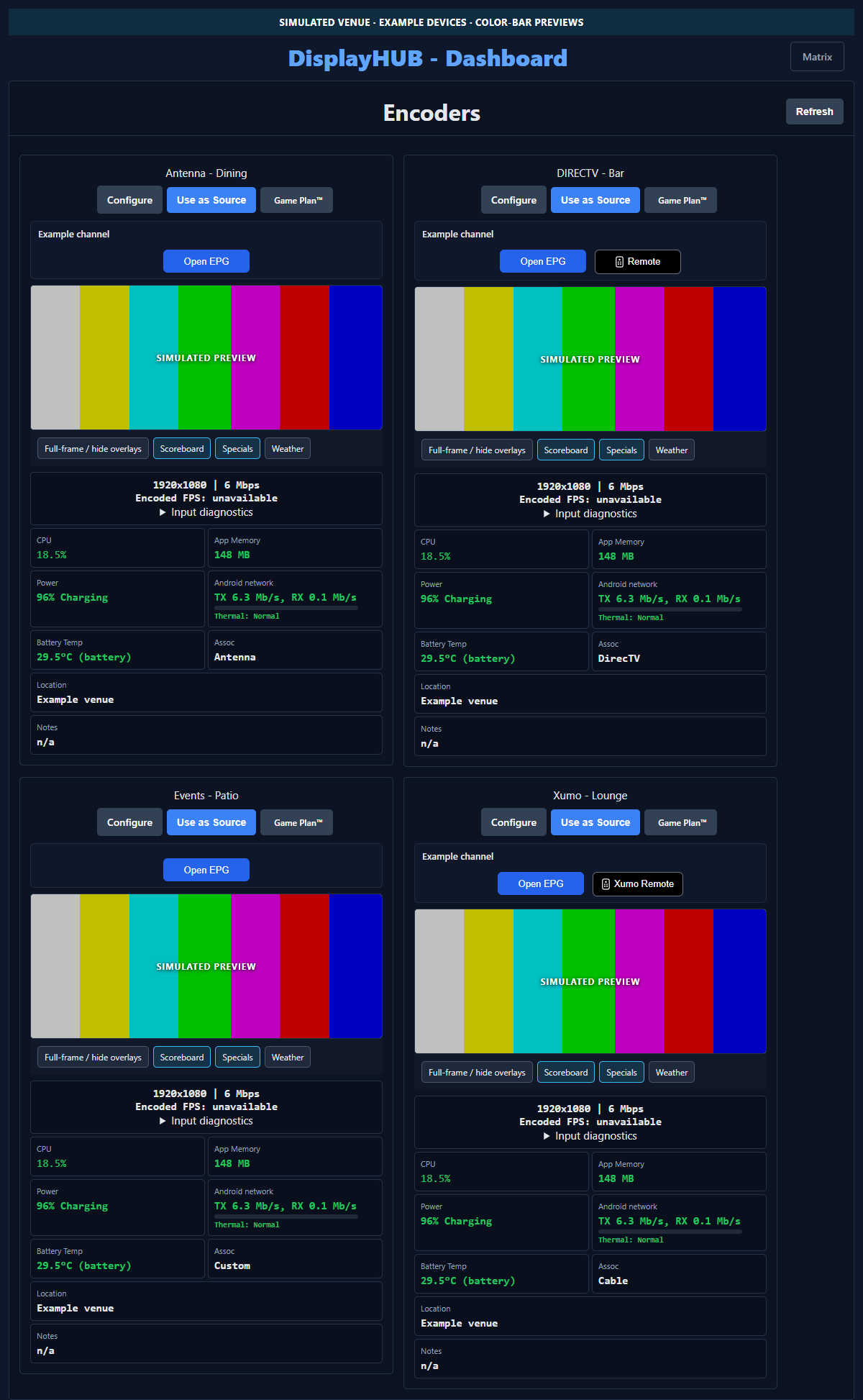
Controller dashboard with simulated encoders and color-bar previews
Controller dashboard with simulated devices.
Encoder interface with example data and color bars
Encoder interface with example data and color bars.

Each encoder handles one input at a time; the separate controller manages them all. For example, two sources you want to use simultaneously need two encoder devices. Do not include the controller in this count.

Each HDMI source needs a compatible USB capture dongle (opens in a new tab). Video files and supported network HDHomeRun tuner inputs do not need an HDMI dongle. File and direct URL inputs do not provide primary audio; HDHomeRun format support depends on the Android device. See encoder input options.

What is your primary source?

DIRECTV can use supported network control. For integrated control, Xumo can use encoder USB IR; cable boxes need a compatible IR profile. You can instead continue using your handheld remote without DisplayHUB-integrated control. Compare source-control options.

How would you like to control your sources?

Handheld remotes only adds no encoder USB IR transmitters. Integrated control may need a compatible USB IR transmitter (opens in a new tab) for each supported IR-controlled HDMI source.

The prefilled count is an example; DIRECTV normally needs no USB IR when using supported network control. For integrated control, leave blank to estimate one per HDMI source for Xumo or cable, and zero for DIRECTV or other sources. Adjust for your setup. For handheld remotes only, leave blank or enter 0.

How will the encoders connect to the network?

This plan uses the same connection choice for all encoders. Wired Ethernet is often more reliable for fixed devices; if unsure, start with Wi-Fi and add compatible Ethernet-capable hubs (opens in a new tab) later. Network planning guide.

Do you want to control other devices without supported IP control, such as a TV?

A compatible Broadlink network IR blaster (opens in a new tab) can control devices such as TVs within its IR range and line of sight. It is separate from encoder USB IR. IR guide.

Optional Shelly smart plugs (opens in a new tab) let the controller switch compatible equipment such as signs or amplifiers. Enter 0 if you do not need any. Power-control guide.

Would you like USB-C extension cables to position encoder IR transmitters?

Selecting Yes suggests up to one cable per encoder USB IR transmitter: five with the prefilled count. A short, data-capable USB-C male-to-female extension can position a transmitter near its source's IR sensor. Shielding it may reduce signals reaching nearby devices; test placement, as isolation is not guaranteed. See cable examples (opens in a new tab).

As an Amazon Associate, DisplayHUB earns from qualifying purchases at no extra cost to you. Verify product compatibility, availability, and activation terms before purchasing.